
 When you purchase a new computer with a pre-loaded operating system, the computer will come with lot of pre-installed software that we may not need at all. Generally the pre-installed software include trail versions of anti-virus programs, office suites, utilities and multimedia applications.
After a computer is purchased, the best thing to do is to clean the house. There is two ways to do the house cleaning – tough way and easy way. The tough way is to go through the list of all installed applications and uninstall them manually. The easy way is to use PC Decrapifier tool to automatically identify and remove all the useless software.
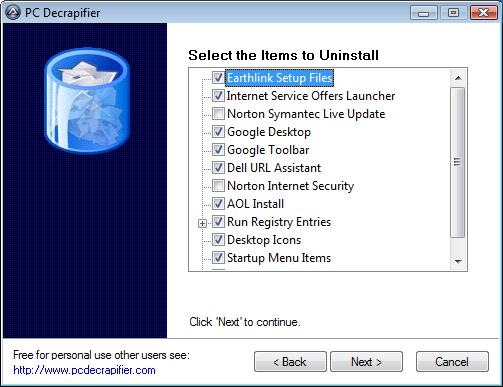
PC Decrapifier is a freeware utility that helps you to clean up the brand-new PC by removing all the trail versions and junk application that come pre-installed on new systems. Here you can view the full list of trail software, browser add-ons and other junk applications PC Decrapifier can detect and uninstall. Thanks Amit
You can even run this application on your recently purchased computer to remove the crap applications. When I ran this application on my 1 year old laptop, It identified and uninstalled 5 junk applications.
Related: Reclaim Your Hard Disk Space By Deleting Garbage Using CCleaner. I Reclaimed 6 GB+