
Did you observer the upside-down word this in the title? That’s cool isn’t it? Generating flipped text like that is not a hard technique that you need to learn. It is very simple with the help of tiny service called Flip.
Point your browse to http://www.revfad.com/flip.html and type any text in the first text input area, the flipped version of the text is automatically generated in the second text area.
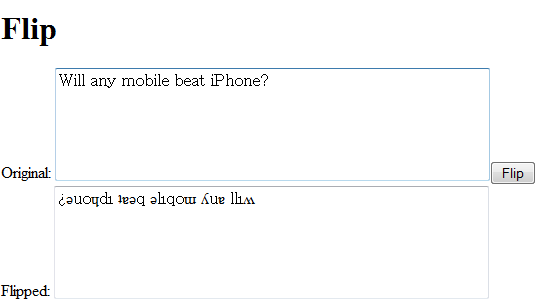
The services flips all the characters perfectly but it always converts them to lower case. Even though you type in uppercase, the output is generated in lowercase.
Want to tease your friends with some confusing text? Try this service.
Nice! ¡looɔ sı ʇxǝʇ pǝddılɟ I would recommend using http://www.upsidedowntext.com/ though. that site gives you a lot more options than revfad.
this is awesome!!!!!!!!!!!
Pingback: GreatDigg.com