

I’m one of the thousands of happy Windows 7 RC early adopters and it’s time for me to upgrade to Windows 7 Final version as Windows 7 RC is all set to expire on February 15, 2010. I had a free ride of Windows 7 all these days and today shelled out few bucks to get the best ever Windows operating system released by Microsoft.
I’m using Windows 7 RC for several months and it has all the required software and configurations. So I want to just upgrade RC to Final version without loosing anything and chose the upgrade option. The installer popped an error saying i can’t perform the upgrade.
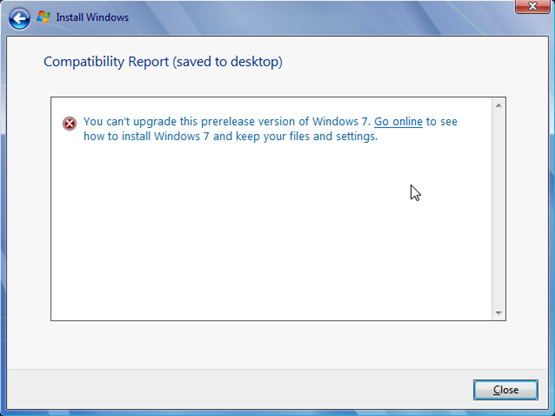

What? I cant’ perform an upgrade is it? Oh that’s bad. This is not something I like or any other user as it’s very pain full to reinstall and configure all the required software on a fresh OS copy. But luckily a quick search revealed very easy trick that allowed me to upgrade Windows 7 RC to Windows 7 Final (RTM).
Solution
Here are the steps to be followed
- Copy the Windows 7 DVD files to your hard disk( if you are using an ISO image file, extract it with the help of unzip tools like 7 Zip)
- Navigate to Source folder from the copied/unzipped installer files and open cversion.ini file using notepad application
- Change the MinClient value to 7000.00 as shown in the following image and save it


That’s all. Now you can re-launch the setup.exe file to upgrade Windows 7 RC to Windows 7 Final. That’s easy right? Yeah. I feel good of saying ‘I’m a PC’.