

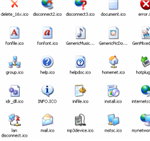

If you already have Visual Studio .net 2005 or 2008 installed in your computer, Depending on the version of Visual Studio .NET you have installed you will see the directory
\Program Files\Microsoft Visual Studio 8\Common7\VS2005ImageLibrary\VS2005ImageLibrary.zip
OR
\Program Files\Microsoft Visual Studio 9\Common7\VS2008ImageLibrary\VS2008ImageLibrary.zip
Extract the files to a folder, open and view the folder. wow! that’s everything.
If you don’t have it installed then
- Download the 90 trial version of Visual Studio 2008 Professional Edition
- Be a good person install the software and locate the directory
- Else if you choose to be otherwise and not install it then open the .img file with winRAR, search of the img file for *imagelibrary*. Extract the imageLibrary zip file.
Note: You can feerly use these in your applications and its legal